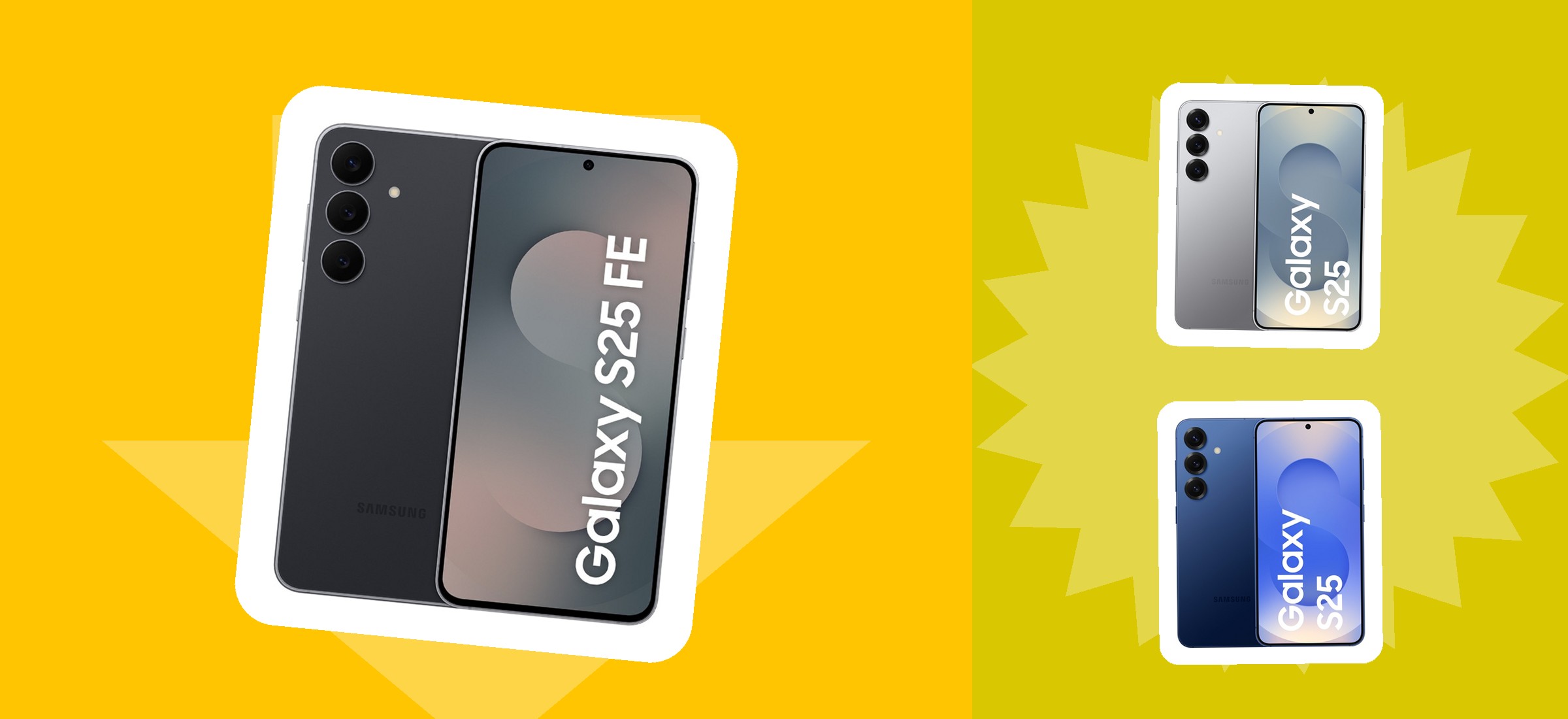
![Three Samsung Galaxy smartphones on a yellow colour-blocked banner — a Galaxy S25 FE in black and two Galaxy S25 handsets in silver and navy, the kind of phones Flipkart Reset accepts for sale]()
Two Flipkart routes exist for an old phone and they are not interchangeable. One pays you money. The other only works if you are buying something else.
📅 Update log:
7 November 2026: first published. Read from flipkart.com/reset-sell-store with a rendered browser session, logged out, from India. Every step, brand, payout method and condition rule is quoted or paraphrased from that page and its own 13-question Q&A. Noted that flipkart.com/reset returns a 404.
Flipkart Reset is the route for selling a phone you are not replacing — you hand over the handset and Flipkart pays you money. It is a different thing from the exchange discount you see at checkout, and the two get confused constantly.
We read Flipkart's own Reset page on 7 November 2026 with a rendered browser session, logged out, from India. Everything below — the five steps, the brand list, the condition rule, the payout methods — is quoted or paraphrased from that page and its own thirteen-question Q&A.
One practical note before anything else: flipkart.com/reset returns a 404. The live page is flipkart.com/reset-sell-store, reached from the homepage footer under "Sell Phone".
Reset pays you cash. Exchange gives you a discount. Flipkart's own page describes Reset as a way to "get cash for the phone you are selling" with payment "via UPI, bank transfer, or a digital wallet". Exchange, by contrast, applies a "real-time exchange value during the checkout process" against a new device. If you are not buying a replacement, exchange is not available to you — Reset is.
The five steps, as Flipkart describes them
| Step | What Flipkart says happens |
|---|
| 1. Describe the phone | Brand name, model, storage capacity and more, plus a description of its condition |
| 2. Get an instant quote | An estimated best price for the phone, depending on its condition |
| 3. Schedule a pickup | Flexible slots; doorstep pickup at home, office or elsewhere |
| 4. Hand it over | Thorough verification and inspection at pickup, including a data wipe |
| 5. Get paid | UPI, bank transfer or a digital wallet; the FAQ also names gift card |
The inspection and the data wipe happen at the same moment as the handover, at your door — not later at a warehouse. Flipkart's wording: "During the pickup procedure, you can hand over the phone for a thorough verification. The necessary inspection and data wipe are done during this procedure."
That makes step 4 the point of no return. Back up anything you need before the agent arrives, and sign out of your accounts yourself rather than relying on the wipe — a device-level erase is not the same as removing the handset from an account.
The quote at step 2 is an estimate, and the price at step 4 is the real one. Flipkart calls it "an instant quote for the estimated best price you can get for your old phone, depending on its condition". The inspection is what settles it.
Reset or exchange: which one you actually want
| Flipkart Reset | Exchange at checkout |
|---|
| What you get | Cash to UPI, bank transfer or wallet | A discount applied to the new phone's price |
| When you get it | After pickup and inspection | In real time, during checkout |
| Needs a new purchase? | No | Yes — it is a discount, not a payment |
| Where it happens | flipkart.com/reset-sell-store | On the new phone's product page and at checkout |
| Can it be undone? | Not after handover and data wipe | No — see our read of Flipkart's exchange rules |
Use Reset if the phone is simply surplus — a second handset, an upgrade you already made elsewhere, a drawer phone. You get money you can spend anywhere.
Use exchange if you are buying a new phone on Flipkart that day, because the value lands immediately as a discount and there is no second transaction. Flipkart also runs a Diwali Exchange Bonus between 4:00 and 8:00 PM daily during its current Big Bang Diwali Sale, described as an extra bonus on eligible devices and select items — which, if you are upgrading anyway, is a reason to prefer the exchange route this month.
Which phones Flipkart will take
| Brand | Status on Flipkart's own list |
|---|
| Samsung | Listed |
| Xiaomi / Mi / Redmi | Listed as three separate entries |
| realme | Listed |
| OPPO | Listed |
| vivo | Listed |
| OnePlus | Listed |
| Motorola | Listed |
| Apple | Listed, but "Selected Models" only |
| Anything else | Flipkart says "and more" without naming them |
The condition rule is one sentence and it is generous: "Optimally functioning and slightly damaged phones are eligible for this facility." Flipkart does not define "slightly damaged" anywhere on the page, and it does not publish a list of faults that disqualify a handset. In practice that judgement lands at the inspection in step 4.
Apple is the one qualified entry — "Apple [Selected Models]" — and Flipkart does not say which models. If you are selling an iPhone, run the quote first rather than scheduling anything.
Check your IMEI before you start, and check it twice. Flipkart's own Q&A names a mismatched IMEI as the most common mistake: "Make sure that the IMEI number mentioned matches that of the phone you are selling. You can find it on the mobile bill/invoice. Otherwise, dial *#06# to check your phone's IMEI number." Flipkart uses the IMEI to establish the device's authenticity, so a typo there is not a small error.
What Flipkart does not publish
- No quote amounts, for any handset, anywhere on the page. There is no price table and no worked example — every figure is generated per device from the details you enter, so this page quotes no rupee value either.
- No definition of "slightly damaged", and no list of faults that would make a phone ineligible.
- No list of which Apple models qualify.
- No stated timeline for payment beyond "money will be credited" after pickup; the FAQ separately mentions a "1-day express pickup" and "safe, instant payment", which describe the collection and the transfer rather than the gap between them.
- No quote validity period — nothing says how long an instant quote stands before it is re-priced.
- No city list for doorstep pickup, only that it is available "in different cities".
None of that makes Reset a bad route — the transparency Flipkart does offer is real, and its claim of "no hidden deductions" is a meaningful commitment in a market where quotes are routinely cut at the door. But the figure that matters most to you, the one on your own handset, only exists once you have entered the details. Treat the quote as the start of the conversation and the inspection as the end of it.
Frequently Asked Questions
What is Flipkart Reset and how does it work?
Flipkart Reset is Flipkart's service for selling a used phone for money rather than trading it in against a new one. Flipkart's own page describes five steps: enter the phone's brand, model, storage and condition; get an instant quote; schedule a doorstep pickup from flexible slots; hand the phone over for verification, inspection and a data wipe at pickup; and receive payment via UPI, bank transfer or a digital wallet. The page states Reset was "previously known as Phonecash". One practical point: flipkart.com/reset returns a 404 — the live page is flipkart.com/reset-sell-store, linked from the homepage footer as "Sell Phone".
What is the difference between Flipkart Reset and Flipkart exchange?
Reset pays you; exchange discounts you. Reset gives you cash for a phone you are not replacing, paid to UPI, a bank account or a digital wallet after pickup and inspection. Exchange applies a real-time exchange value as a discount on a new device during checkout, so it only exists if you are buying something. Use Reset for a surplus handset; use exchange if you are upgrading on Flipkart that day — and note that during the current Big Bang Diwali Sale, Flipkart runs a Diwali Exchange Bonus from 4:00 to 8:00 PM daily on eligible devices and select items.
Which phone brands can I sell on Flipkart Reset?
Flipkart's own list names Samsung, Xiaomi, realme, OPPO, vivo, OnePlus, Redmi, Mi, Motorola and Apple, with Apple qualified as "Selected Models". Elsewhere the page says "and more" without naming anything further. On condition, the only rule published is: "Optimally functioning and slightly damaged phones are eligible for this facility." Flipkart does not define "slightly damaged" and does not publish a list of disqualifying faults, so that judgement is made at the inspection during pickup. If you are selling an iPhone, run the quote before scheduling anything.
How much will Flipkart pay for my old phone?
Flipkart publishes no amounts at all. There is no price table, no worked example and no indicative range anywhere on the Reset page — every figure is generated from the brand, model, storage and condition you enter, which is why this page quotes no rupee value either. Flipkart calls it "an instant quote for the estimated best price you can get for your old phone, depending on its condition" and states there are "no hidden deductions". The quote is an estimate; the inspection at pickup settles the final figure. You can check your phone's price on the Flipkart app and mobile site before committing to anything.
Is it safe to sell my phone on Flipkart Reset, and what happens to my data?
Flipkart states that your data is wiped during the inspection, which happens at the doorstep pickup rather than later. Its wording: "The necessary inspection and data wipe are done during this procedure." It also states that it uses the IMEI number to establish and assess the authenticity of the device. Do not rely on that wipe alone — back up what you need and sign out of your Google, Apple and banking accounts yourself first, because a device-level erase is not the same as removing the handset from an account. Once the phone is handed over and wiped, it is gone, so treat the pickup as the point of no return.
Prices & codes last verified: November 7, 2026
Every step, brand, payout method, condition rule and quoted sentence on this page comes from Flipkart's own flipkart.com/reset-sell-store page, read 7 November 2026 with a rendered browser session, logged out, from India. No rupee quote is given for any handset on this page, because Flipkart publishes none — every valuation is generated per device from the details you enter, and the instant quote is an estimate that the inspection at pickup settles. Eligibility, pickup availability and the final price are Flipkart's to determine and are subject to its terms. This page is an explanation of a published process, not an endorsement of it, and it is not advice on what your phone is worth. Back up your data and sign out of your accounts before any handover; a device-level wipe does not remove a handset from an account. Programme terms change, and this page reflects one day's reading.






 Booking com
 Hostinger
 Dell
 Udemy
 Agoda
 Nykaa
 Myntra
 Ajio