GoDaddy Airo · 2026 Guide GoDaddy AI Website Builder: Build a Professional Website in Minutes
No coding · No design skills · Powered by GoDaddy Airo — step-by-step guide, pricing & honest verdict <30s AI site generation
₹199/mo Starting price
7-day Free trial
Getting a business online in India used to mean either paying a developer ₹20,000+ or spending weeks wrestling with templates that never quite looked right. GoDaddy's AI website builder — now operating under the brand name GoDaddy Airo — changes that equation in a meaningful way. Answer a handful of questions about your business, and the AI generates a complete, live-ready website in under 30 seconds. Not a rough draft — a structured, mobile-friendly site with images, copy, and a colour scheme built around what you told it.
This guide covers everything you need to know about GoDaddy Airo in 2026: how the AI actually works, a step-by-step walkthrough of building your site, what each pricing plan includes (and what the renewal price hike looks like after year one), an honest list of limitations that some reviewers gloss over, and a direct comparison against Wix and Squarespace so you can decide which builder is right for your specific situation.
Whether you're a freelancer, a local shop owner, or a first-time founder looking to establish an online presence quickly and affordably, this is what you need to know before you pick your builder.
What Is GoDaddy Airo — The AI Engine Behind the Website Builder
GoDaddy Airo is the AI-powered platform that GoDaddy launched to consolidate its suite of creation and marketing tools under one roof. It goes well beyond just building a website — Airo is designed to handle everything from your first domain purchase to generating your logo, creating social media posts, writing email marketing campaigns, and in 2026, it has extended to a full Airo for WordPress product that brings the same AI management tools to WordPress-hosted sites.
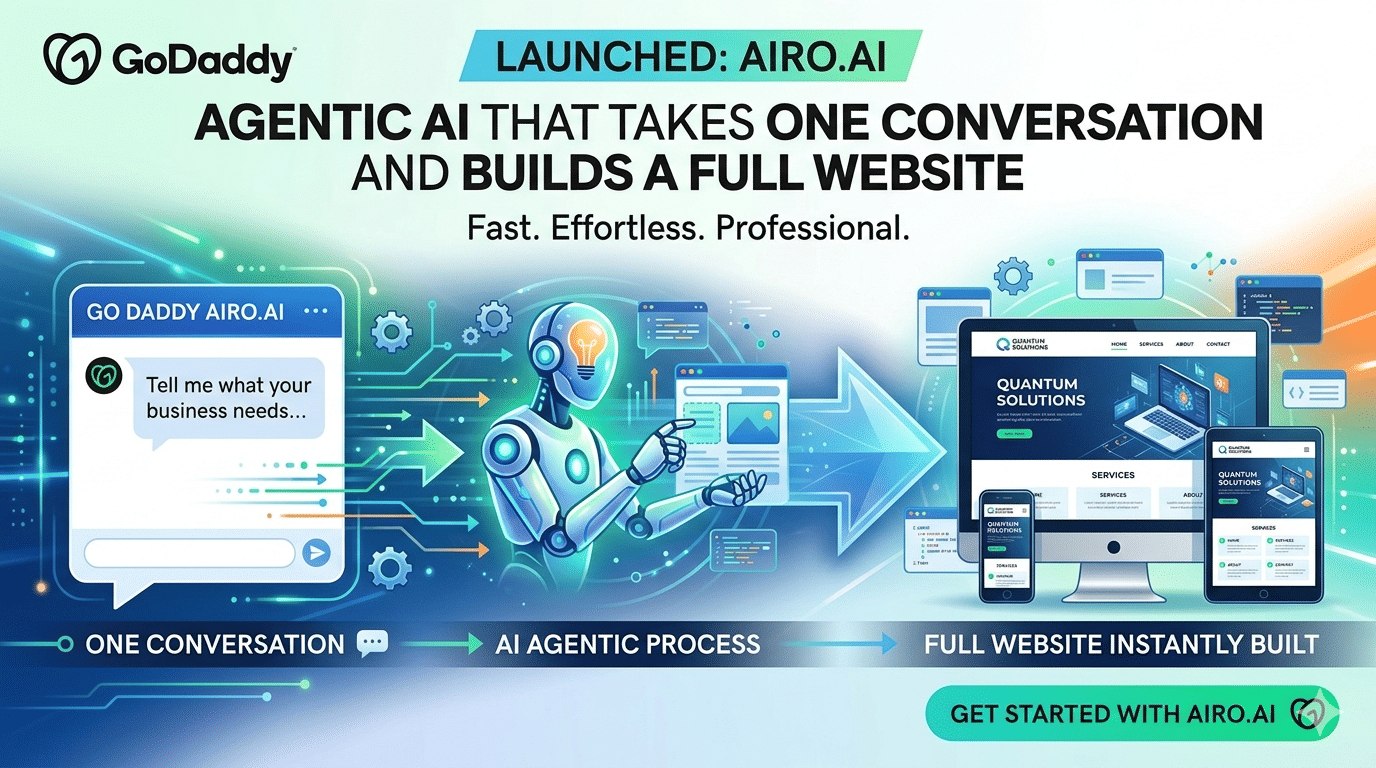
The core website-building experience works through a conversation: Airo asks you about your business type, your goals, the pages you need, and the content you want to highlight. Based on your answers, it generates a unique, fully structured website — not a template selection screen, but a complete site built specifically for your inputs. The entire generation process takes under 30 seconds, which makes GoDaddy the fastest website builder currently available anywhere in the market.
Once generated, the site opens in GoDaddy's drag-and-drop editor where you can adjust every section, swap images, rewrite copy, change global fonts and colours through the Theme tab, and connect your custom domain. The experience is designed so that someone with zero design experience can get a presentable, published site online in under an hour — something that has been independently verified by multiple tech reviewers who clocked their setup time at under 52 minutes including domain connection.
Everything GoDaddy Airo Can Do — Beyond Just Building a Website
Most people think of GoDaddy as a domain registrar that also offers a website builder. In 2026, that framing significantly undersells what the platform now does. Here's everything Airo includes:
🌐
AI Website Generation
Complete, structured website built from your answers in under 30 seconds. No blank canvas, no template browsing.
🎨
Logo Maker
AI generates logo options from your business name and industry. Choose from logomarks to logotypes — hundreds of starting templates.
📱
Social Media Post Generator
AI creates on-brand social posts for Instagram, Facebook, and more. Analyses results and generates insight-based suggestions.
📧
Email Marketing
AI builds email campaigns from your brand tone and goals. Included in all paid plans with varying subscriber limits.
🔍
SEO Wizard
Step-by-step guide to optimise every page — suggests relevant keywords, meta descriptions, and page titles as you build.
📝
AI Content Generation
Generate blog posts, product descriptions, and page copy from a single prompt. Airo structures each piece with visible section-by-section completion.
🛒
E-commerce (Commerce Plan)
Online store with credit card payments, abandoned cart recovery, and AI-generated product descriptions. WooCommerce storefront on WordPress.
🔒
SSL + Hosting Included
All paid plans include hosting and SSL certificate — no separate purchases. SSL activates automatically on domain connection.
📅
Appointment Booking & CRM
Built-in CRM stores contact info, appointment history, and payment records — useful for service-based businesses and consultants.
How to Build a Website With GoDaddy Airo — Step by Step
Here is exactly how the process works from start to published site, with timing at each stage:
1
Go to GoDaddy and start the AI builder
Head to godaddy.com/websites/ai-website-builder and click "Start for free" or select a paid plan. GoDaddy offers a 7-day free trial on all paid plans — useful for testing before committing. If you have a Zoutons GoDaddy coupon, apply it at checkout for a discount on the first year.
2
Answer Airo's business questions
Airo walks you through a short conversational prompt: your business name, type (restaurant, freelancer, salon, etc.), key pages needed (About, Menu, Contact, Portfolio), and any specific content you want highlighted. This takes 2–4 minutes and directly shapes everything the AI generates.
3
Review your AI-generated website (<30 seconds)
Airo generates your complete website — structured pages, stock imagery, placeholder copy, colour scheme, and layout — in under 30 seconds. This is a real, functional site structure, not a wireframe. Review the overall design and page arrangement before moving into the editor.
4
Customise in the drag-and-drop editor
The editor has three top-level tabs: WEBSITE (your editing environment), THEME (global fonts and colours), and SETTINGS (publication, SEO, domain). Swap stock images for your own photos, rewrite placeholder copy, reorder sections, and adjust the layout to match your brand. You can switch themes at any time from the THEME tab — content is preserved and GoDaddy auto-saves before the switch.
5
Set up your logo and social templates
Use Airo's Logo Maker to generate or upload your brand logo. Airo also creates matching social media post templates — useful if you plan to promote your site on Instagram or Facebook before launch.
6
Run the SEO Wizard
Before publishing, go through GoDaddy's SEO Wizard in the SETTINGS tab. It walks you page by page, suggesting relevant keywords, meta descriptions, and page titles. This takes 10–15 minutes and meaningfully improves your site's discoverability — don't skip it.
7
Connect your domain and publish
If you're buying a domain through GoDaddy, it connects with one click. If your domain is registered elsewhere, GoDaddy walks you through DNS configuration. SSL activates automatically on any paid plan once the domain is connected. Hit Publish — your site is live.
⏱️ Total time to a published site: Most first-time users get from signup to live site in under 60 minutes, including domain connection and basic customisation. The AI generation itself takes under 30 seconds — the rest is personalisation at your own pace.
GoDaddy AI Website Builder Pricing Plans 2026 — What Each Plan Includes
GoDaddy offers a free plan and three paid tiers for its website builder. All paid plans include hosting and SSL — there's no separate cost for these, which is a genuine advantage over some competitors. Here's the full breakdown:
| Plan | Starting Price (Annual) | Key Features | Best For |
|---|
| Free | ₹0 | GoDaddy subdomain only, GoDaddy ads on site, basic pages, no custom domain | Testing the builder only |
| Basic | ~₹199–₹299/mo | Custom domain, hosting, SSL, AI content generation, SEO tools, basic email marketing | Personal sites, portfolios, local businesses |
| Premium | ~₹449–₹699/mo | All Basic features + appointment booking, CRM, social media integration, more email subscribers | Service businesses, consultants, coaches |
| Commerce | ~₹999–₹1,499/mo | All Premium features + online store, payment processing, abandoned cart recovery, inventory management | Online stores, product sellers |
⚠️ Renewal price alert: GoDaddy's introductory pricing applies only to the first year. After renewal, prices roughly double — the Premium plan, for example, can jump from ~₹449/month to ~₹850–₹950/month. Factor renewal costs into your decision before committing to a longer-term plan, and watch for GoDaddy discount codes on Zoutons to reduce the initial cost.
💡
Zoutons Tip: GoDaddy regularly runs promotions of 30–50% off first-year plans, especially during big sale windows. Check live GoDaddy coupons on Zoutons before signing up — the right code can save you ₹2,000–₹5,000 on an annual plan.
Browse GoDaddy coupons on Zoutons →GoDaddy vs Wix vs Squarespace — Which Builder Should You Choose?
GoDaddy Airo, Wix, and Squarespace are the three most popular website builders globally. They serve different users well, and the right choice depends almost entirely on what you prioritise — speed, design quality, or customisation depth.
| Category | GoDaddy Airo | Wix | Squarespace |
|---|
| AI Speed (site generation) | 🏆 Under 30 seconds | ~2–5 minutes | ~3–5 minutes |
| Starting Price (annual) | 🏆 ~₹199/mo | ~₹1,100/mo | ~₹1,300/mo |
| Design Quality / Polish | Functional, can look generic | Good, very customisable | 🏆 Best-in-class templates |
| Customisation Depth | Limited — block-level edits only | 🏆 Pixel-level drag & drop | Moderate — within grid |
| Template / Theme Count | Lower number, AI-generated | 🏆 800+ templates | 180+ premium templates |
| App Market / Plugins | ❌ No App Market | ✅ 300+ apps | Limited but growing |
| E-Commerce Strength | Basic — checkout on mysimplestore.com | 🏆 Strong, native checkout | 🏆 Strong, native checkout |
| All-in-One (domain + hosting + SSL) | 🏆 Yes, all included | Hosting separate option | Hosting included |
| Ease of Use for Beginners | 🏆 Easiest — under 30 sec AI | Moderate learning curve | Moderate learning curve |
| Customer Satisfaction (stars) | 4.1 / 5 | 4.2 / 5 | 🏆 4.8 / 5 |
Is GoDaddy AI Website Builder Right for You?
✅ GoDaddy Is Great For
Local & Offline Businesses Going Online
Restaurants, salons, clinics, coaching centres — anyone who needs a clean, credible web presence fast without a development budget. GoDaddy's speed and all-in-one pricing make it the fastest route.
✅ GoDaddy Is Great For
Solopreneurs & Freelancers
If you need a portfolio, a contact page, and a booking link — and you want it done today, not next week — GoDaddy Airo is genuinely the fastest way to get there without involving a developer.
✅ GoDaddy Is Great For
First-Time Website Owners
Zero prior experience with website builders? The AI removes every decision that usually trips people up — colour schemes, layouts, image sourcing. You answer questions; GoDaddy handles the rest.
⚠️ Consider Alternatives If You Need
Serious E-Commerce or Deep Customisation
GoDaddy's checkout redirects to mysimplestore.com, and there's no App Market for custom integrations. Serious online stores should look at Wix or Shopify. Creative agencies needing pixel-perfect control should consider Squarespace or Webflow.
GoDaddy AI Website Builder — Honest Pros & Cons
✅ What Works Really Well
- AI generates a complete site in under 30 seconds — fastest builder available
- No coding or design experience needed whatsoever
- All-in-one: domain, hosting, SSL, and email in one plan
- Logo generator, social post templates, and email marketing included
- Switch themes at any time without losing your content
- Airo for WordPress now available — AI managing WordPress sites
- Affordable starting price, especially with Zoutons coupons applied
- 7-day free trial on all paid plans
- SEO Wizard guides optimisation page by page
❌ What to Watch Out For
- Generic designs — AI output can look similar across sites
- Limited customisation — can't style individual text blocks or links
- No App Market — can't add third-party plugins or integrations
- E-commerce checkout redirects to mysimplestore.com — weak branding signal
- Renewal prices roughly double after the first year
- Free plan shows GoDaddy ads and doesn't allow custom domain
- E-commerce features hit a ceiling for complex store needs (B2B pricing, custom flows)
- Customer satisfaction rating (4.1) lower than Wix and Squarespace
🏆 Our Verdict — Should You Use GoDaddy AI Website Builder in 2026?
For the specific job of getting a clean, professional-looking website online in the shortest time at the lowest cost — GoDaddy Airo is the best tool available in 2026. No other builder matches its generation speed, its all-in-one pricing, or the accessibility of its editing experience for non-technical users. If your goal is a business presence online by tomorrow, GoDaddy gets you there.
However, if you care about design differentiation, want an extensive template library, need third-party app integrations, or plan to run a serious online store — GoDaddy's limitations are real and will frustrate you within a few months. In those cases, Wix offers far more customisation depth at a higher price point, and Squarespace delivers the best design quality in the market at a similar premium.
Bottom line: Start with GoDaddy Airo if you're a first-time website owner, a local business, or a solopreneur on a budget who needs speed. Apply a Zoutons coupon to cut the first-year cost, use the 7-day trial to verify the builder meets your needs, and budget for the renewal price increase in year two. If you outgrow it, migrating to Wix or WordPress is always an option.
Frequently Asked Questions
Does GoDaddy AI website builder require any coding skills?
None whatsoever. GoDaddy Airo is designed specifically for users with zero technical background. The AI handles structure, design, and content from your answers, and the drag-and-drop editor requires no code to customise. Domain connection, SSL activation, and publishing are all guided step by step. The only input required from you is information about your business.
Is GoDaddy's website builder really free?
Yes, GoDaddy offers a free plan — but it comes with significant limitations: your site will display a GoDaddy subdomain (yoursite.godaddysites.com), GoDaddy ads will appear on your pages, and you cannot connect a custom domain. The free plan is suitable for testing the builder but not for a real business website. Paid plans start at approximately ₹199/month (billed annually) and remove all these restrictions.
What is GoDaddy Airo and how is it different from the older website builder?
GoDaddy Airo is GoDaddy's consolidated AI platform launched to unify its website building, logo generation, email marketing, social post creation, and SEO tools under one experience. In 2026, it also expanded into Airo for WordPress — bringing the same AI creation and management tools to WordPress-hosted sites. Airo replaces the older, more manual GoDaddy website builder and adds a conversational AI layer that builds your site from a prompt-based session rather than template selection.
Can I sell products online with GoDaddy's website builder?
Yes, but with limitations. E-commerce is available on the Commerce plan, which includes product listings, credit card payment processing, and abandoned cart recovery. However, at checkout, customers are redirected to mysimplestore.com rather than staying on your domain — which is a trust and branding concern for serious stores. For simple product catalogues or service bookings, GoDaddy is adequate. For a robust, branded e-commerce experience, Wix or Shopify are better suited.
How much does GoDaddy website builder really cost in India after renewal?
GoDaddy's introductory pricing — approximately ₹199–₹299/month for the Basic plan — applies only in the first year. After renewal, prices typically increase by 60–100%. The Premium plan, for instance, can jump from ~₹449/month to ~₹850–₹950/month in the second year. Always check the renewal price displayed during signup and factor it into your annual budget. Using a Zoutons GoDaddy coupon on initial signup can significantly reduce the first-year cost.
Can I use my own domain with GoDaddy's AI website builder?
Yes, on any paid plan you can connect a custom domain — either by purchasing one through GoDaddy (which connects with one click) or by pointing an existing domain from another registrar via DNS configuration. GoDaddy's help centre walks you through the DNS setup step by step, and SSL activates automatically once the custom domain is connected on any paid plan.
This article is for informational purposes. GoDaddy pricing, plan features, and renewal rates may vary by region and change without notice. Always verify current pricing and plan inclusions on the GoDaddy website before purchasing. Zoutons may earn a commission from affiliate links in this article. We are not affiliated with GoDaddy, Wix, or Squarespace. Comparisons are based on publicly available information as of May 2026.
_1767166944.jpg?tr=w-80,h-80,c-force)









 Booking com
  Hostinger
  Dell
Dell  Udemy
Udemy  Agoda
Agoda  Nykaa
Nykaa  Myntra
  Ajio
Ajio