How to Buy Your First Domain in India 2026: GoDaddy Guide

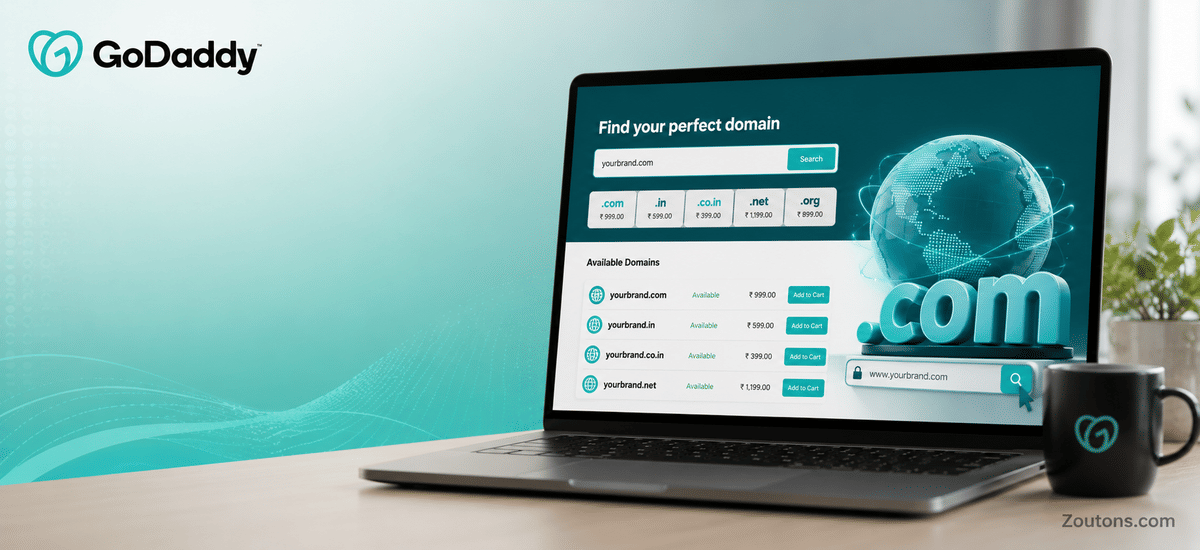
Starting an online project this monsoon season, whether it is a side business, a portfolio or a blog, almost always begins with one small but important step: buying a domain name. For most first-time buyers in India, GoDaddy is the default starting point because of its low first-year prices, simple checkout and round-the-clock support. As of June 2026, a fresh .com can be registered for as little as Rs. 83 to Rs. 199 for the first year, which makes experimenting genuinely affordable.
This beginner guide breaks the whole process into plain steps so you do not overpay or get stuck. We will cover how to choose a strong domain name, which extension suits an Indian audience, what domain privacy actually protects, and the renewal costs that kick in from year two (often Rs. 1,599 or more for .com). By the end you will know exactly how to buy your first domain on GoDaddy with confidence, and how to shave a little extra off the bill before you check out.
- First-year .com starts from around Rs. 83 to Rs. 199 for new customers in India (June 2026).
- Renewals for .com typically cost Rs. 1,599 or more per year from year two onward.
- Domain privacy is included free on eligible domains, but not on .in or .co.in due to registry rules.
- A .in extension can often be added as a second domain for around Rs. 99.
- Multi-year registration (2 to 5 years) locks pricing and avoids yearly renewal surprises.
Step 1: Choosing Your First Domain Name on GoDaddy
Your domain name is your address on the internet, so it is worth a few minutes of thought before you buy. A good first domain is short, easy to spell, easy to say out loud, and closely tied to your brand, name or idea. Avoid hyphens and numbers where possible, since they make a name harder to remember and to type on a phone during the busy monsoon work-from-home months.
On GoDaddy, you simply type a name into the domain search box and the tool tells you instantly whether it is available. If your exact choice is taken, GoDaddy suggests close alternatives and other extensions you can grab instead.
- Keep it under about 15 characters so it is easy to recall.
- Match it to your brand, full name or main keyword.
- Avoid trademarked terms to prevent future disputes.
- Have two or three backup names ready in case your first pick is taken.
- Say it aloud once - if it is hard to dictate over a call, simplify it.
Step 2: Picking the Right Domain Extension for India
The extension is the part after the dot, such as .com or .in. For most first-time buyers, .com is the strongest default because it is the most trusted and recognised worldwide. If you are building a clearly India-focused service or brand, .in and .co.in are excellent regional choices, and many buyers register both .com and .in to protect their name across markets.
Below is a simple comparison of popular extensions on GoDaddy India to help you decide. Prices are indicative first-year rates for new customers as of June 2026 and can change with ongoing offers.
| Extension | Best For | First-Year Price (Approx.) | Privacy Included |
|---|---|---|---|
| .com | Global brands, businesses, most beginners | From around Rs. 83 to Rs. 199 | Yes, free on eligible domains |
| .in | India-focused brands and services | Around Rs. 99 to Rs. 399 | No, registry does not allow it |
| .co.in | Indian companies and commercial sites | Around Rs. 199 to Rs. 499 | No, registry does not allow it |
| .store | Online shops and e-commerce | From around Rs. 199 to Rs. 499 | Yes, free on eligible domains |
| .online | Blogs, portfolios, personal sites | From around Rs. 99 to Rs. 299 | Yes, free on eligible domains |
Step 3: How to Buy the Domain on GoDaddy Step by Step
From search to checkout in a few clicks
Once you have settled on a name and extension, the actual purchase on GoDaddy takes only a few minutes. The interface is beginner-friendly, and you can pay using UPI, debit or credit cards, or net banking in Indian rupees.
- Open GoDaddy and type your chosen name into the domain search box.
- Review the availability results and add your preferred extension to the cart.
- Decide your registration term - one year is cheapest upfront, but two to five years locks the rate.
- Review add-ons like Domain Protection and skip anything you do not need yet.
- Create or sign in to your GoDaddy account and verify your email and phone.
- Apply a valid coupon code, confirm the total, and complete payment.
After payment, your domain is registered to you immediately and appears in your GoDaddy dashboard, where you can later connect it to a website builder, hosting plan or email service.
Step 4: Domain Privacy, Protection and Renewal Costs
Two things trip up most first-time buyers: privacy and renewals. Domain privacy hides your personal name, address and phone number from public WHOIS records, and GoDaddy now includes it free on most eligible domains like .com. Note that Indian extensions .in and .co.in do not support privacy because of registry rules, so those details remain public.
Renewal is the bigger surprise. The low first-year price is promotional, and from year two a .com usually renews at Rs. 1,599 or more. Planning for this from the start saves both money and stress.
- Privacy is free on eligible domains but unavailable on .in and .co.in.
- Domain Protection is an optional paid add-on that blocks unauthorised transfers and changes.
- Renewal for .com is typically Rs. 1,599 or more per year.
- Registering for two to five years locks current pricing and avoids annual hikes.
- Turn on auto-renew only if you are sure you want to keep the domain long term.